
How to change the Default view of the Windows Phone form in Visual Studio 2010 ?

By default , the Visual Studio 2010 displays the Windows Phone 7 forms in both WPF Designer Editor as well as XAML Editor .

How to change the Default view of the Windows Phone form in Visual Studio 2010 ?
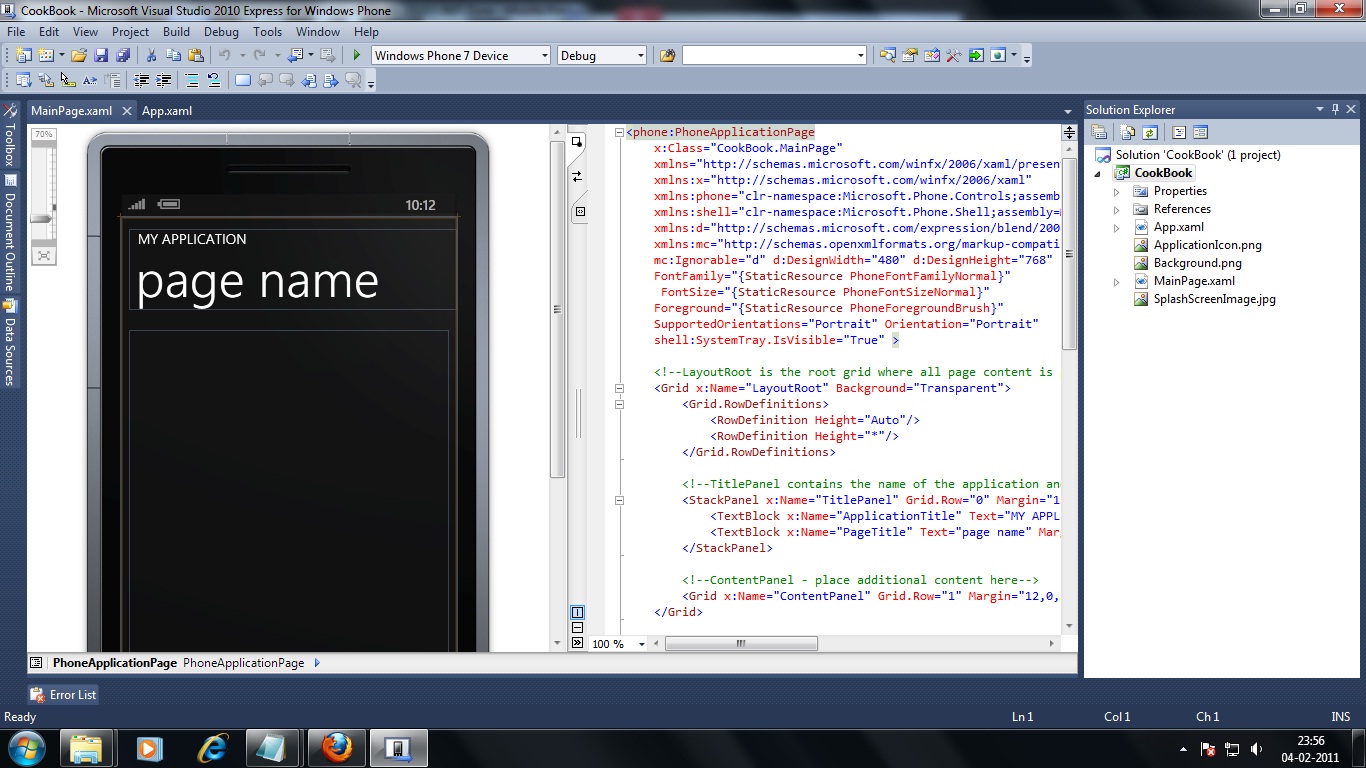
How to change the Default view of the Windows Phone form in Visual Studio 2010 ?

But , if you prefer to view only the XAML code instead of both the designer and the XAML code , you can set it by doing the following .

1. Right click on the Windows Phone 7 form ( MainPage.xaml ) in the solution explorer  and click Open With Button .
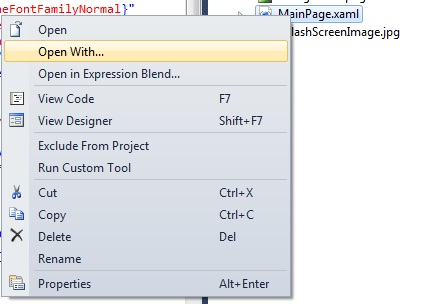
How to change the Default view of the Windows Phone form in Visual Studio 2010 ?

2. Select Source code Text Editor and click the Set as Default Button
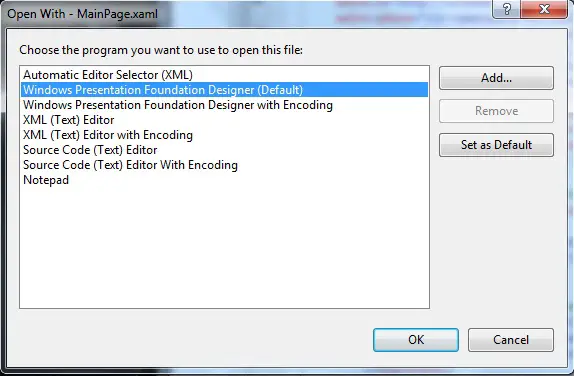
How to change the Default view of the Windows Phone form in Visual Studio 2010 ?

3. Click Ok .

Now open the form to see the XAML Code .

Leave A Reply

Your email address will not be published. Required fields are marked *

You May Also Like

In this post, you will learn about sync provider notifications in Windows 11 and how to disable or enable it...
In this tutorial, let’s learn how to enable or disable the startup sound in Windows 11. By default, when Windows...
The CameraCaptureTask allows the Windows Phone 7 App to launch the Camera Application . This will be useful when the...